
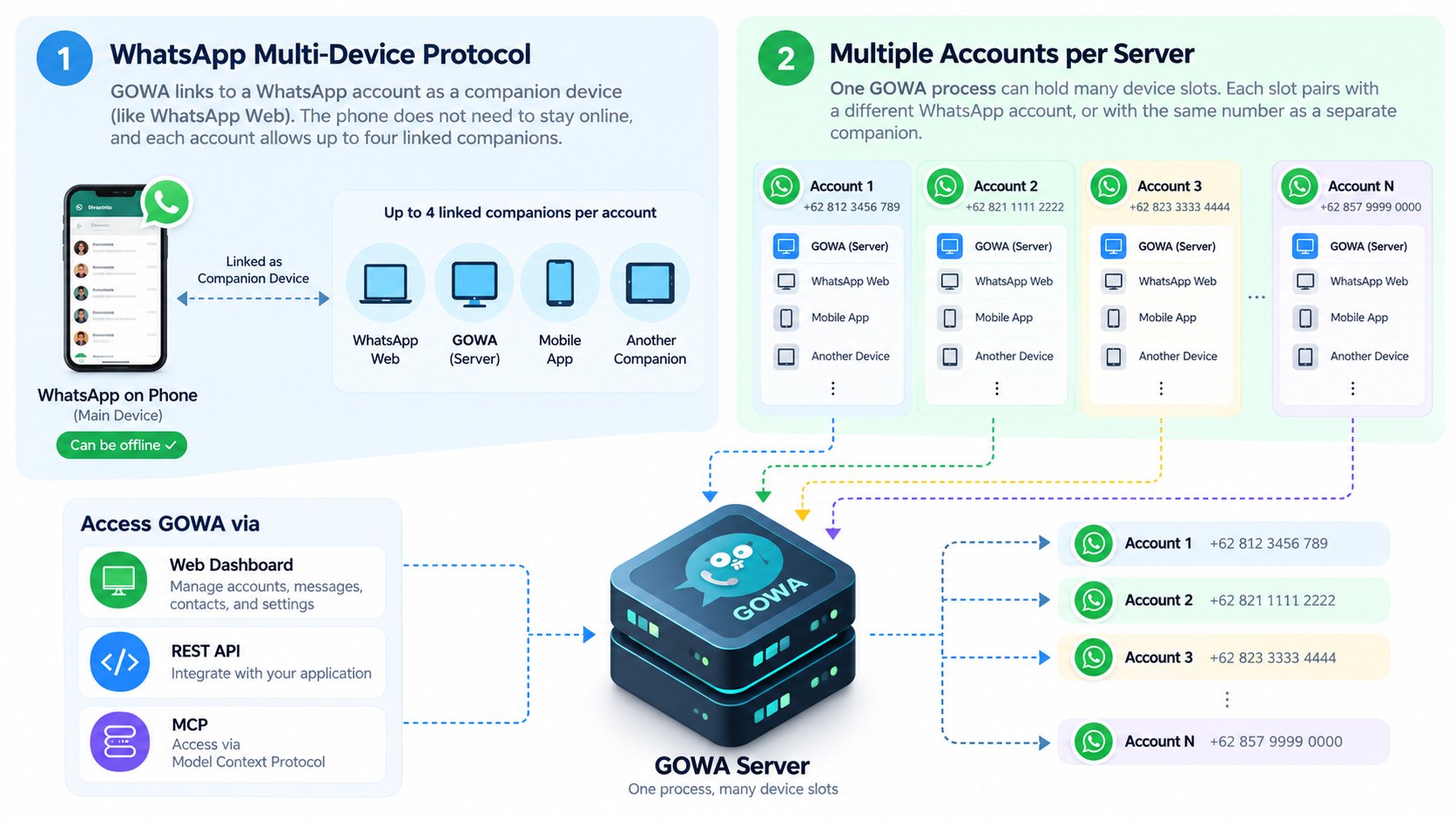
- WhatsApp’s multi-device protocol. GOWA links to an account as a companion device, like WhatsApp Web. The phone does not need to stay online, and each account allows up to four linked companions.
- Multiple accounts per server. One GOWA process can hold many device slots. Each slot pairs with a different WhatsApp account, or with the same number as a separate companion.
Device slots
A slot has an ID you choose (or a generated UUID), a state, and once paired the account’s JID.Manage slots
/devices/... routes take the device from the path, so they never need X-Device-Id. Slots and sessions persist across restarts.
Selecting a device
Every other device-scoped route (/send/*, /message/*, /chat*, /group*, /user/*, /newsletter/*, /call/* and /app/* except /app/info) needs to know which account to act as. GOWA resolves it in this order:
- The
X-Device-Idheader (URL-decoded). - The
device_idquery parameter. - If neither is given and exactly one slot exists, that slot.
628123456789@s.whatsapp.net).
Selection errors
A slot that exists but is not logged in passes selection; the request then fails with a WhatsApp error such as “you are not logged in”.
Per-device features
Limits and caveats
- WhatsApp allows up to four linked companions per account. Each GOWA slot paired to that account uses one.
- WhatsApp unlinks a companion if the phone stays offline for about 14 days.
- History sync after pairing is partial and controlled by WhatsApp; GOWA stores what it receives in its chat storage.
- Each slot is a full WhatsApp connection. Memory and CPU grow with the number of slots and the volume of traffic.